What Kalorika does
Only what the product does today. Each section says where it works: the bot in Telegram, the iPhone app, or both.
Logging a meal
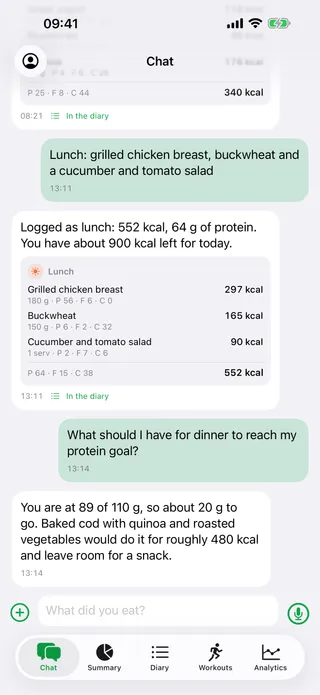
Five ways in, one diary. Whatever you send comes back as an entry with the weight, the calories and the protein, fat and carbs, and the day is counted again at once.
- A photo of the plate — in the bot and in the iPhone app.
- A line of text: “chicken breast, buckwheat and a salad”. Everywhere, the watch included.
- A voice message — in the bot and in the iPhone app. The watch takes no voice.
- A barcode: the scanner in the app, or a photo of the package sent to the bot.
- The same as usual — one tap on a meal you have eaten before, weights and all.
A photo is an estimate, not a measurement, and it says so when it is unsure. Open the entry, change the dish or the weight, and the day counts itself again.
The diary and the day
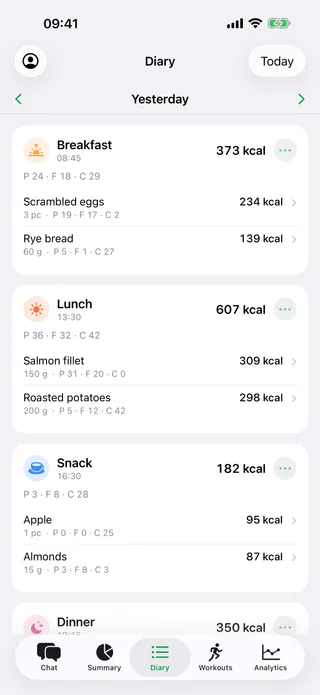
Entries stand under their meal with the time and the numbers, and the day is on top: how much is left of the goal, protein, fat and carbs, water, weight, what you burned. Earlier days open the same way — add what you forgot, delete what is wrong, and the totals follow.
Weight and where it is going
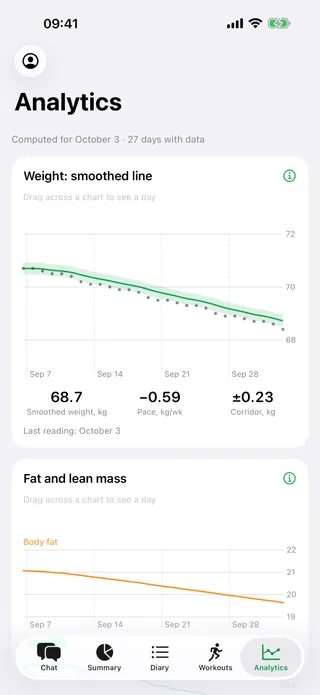
Weigh yourself whenever you like. Kalorika smooths the daily jumps into one line, shows how fast it moves in kilograms per week and the corridor the swings stay inside, and says plainly when the line has not moved for two weeks. From your own weeks of weight and food it works out roughly how much you burn, and corrects that estimate as new days arrive. A few days of entries are needed first — until then it says so instead of drawing a line out of nothing.
The week, once a week
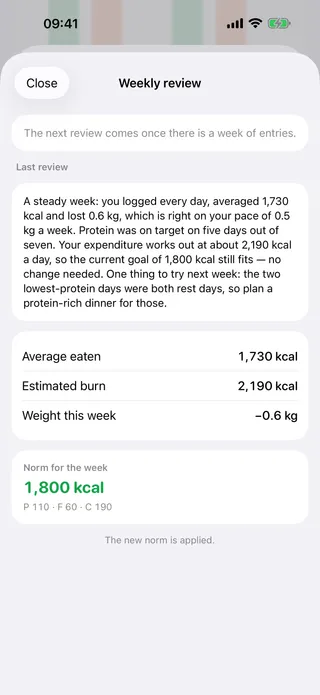
The review puts the week into words: how much you ate on average, how much you burned, where the weight went, and what to try next. Where the numbers say the daily goal no longer fits, it brings a new one. First it asks five short questions about how the week felt — sleep, hunger, energy — because the same weight means different things in an easy week and a hard one. In Telegram it comes on Sunday; in the app a notification brings it, and the watch can answer the five questions one at a time.
Workouts
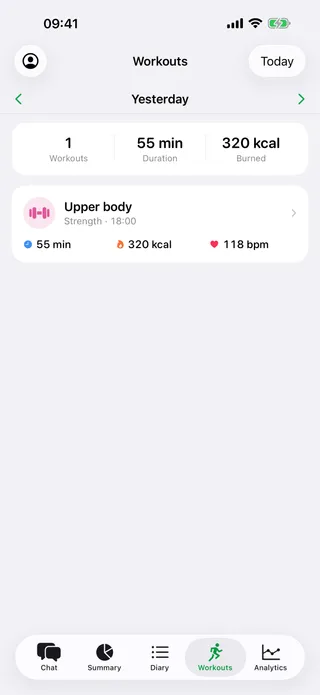
Tell the chat about a workout or fill in the short form: what it was, how long it lasted, the exercises with their sets, reps and weights. If you do not know how many calories it took, Kalorika works them out from your weight and marks the figure as an estimate. On the iPhone, workouts from Apple Health arrive on their own.
Apple Health
The iPhone app reads what you already measure — weight, steps, energy, workouts — permission by permission, and any of them you can refuse. The bot in Telegram has no connection to Health: Telegram is not the iPhone, and nothing is read or written there.
Apple Watch
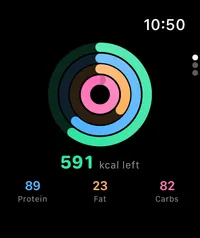
On the wrist: what is left of today at a glance, a glass of water, a meal you eat often, a few words about what you ate, and the five questions of the weekly review. A workout started on the watch is saved to Apple Health and reaches the diary through the iPhone. The watch is set up from the iPhone app — on its own it has nobody to ask.
Water
A glass is 250 ml. One tap adds it — in the chat, in the app, on the watch, or from the widget on the home screen — and a tap the other way takes it back. The glasses you count by hand stay yours: a later sync from Health does not write over them. Water is counted on its own and goes into no calorie balance.
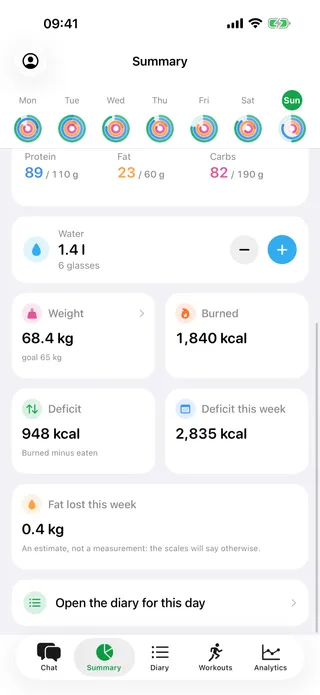
Real screens of the app, light or dark to match your system. The numbers on them come from a demo account.